Free look for the Ricoh GR
GR Film
A warm, softly faded film look for GR RAW files, built on Positive Film. Highlights roll off gently, blacks lift just enough, and a fine grain finishes it.
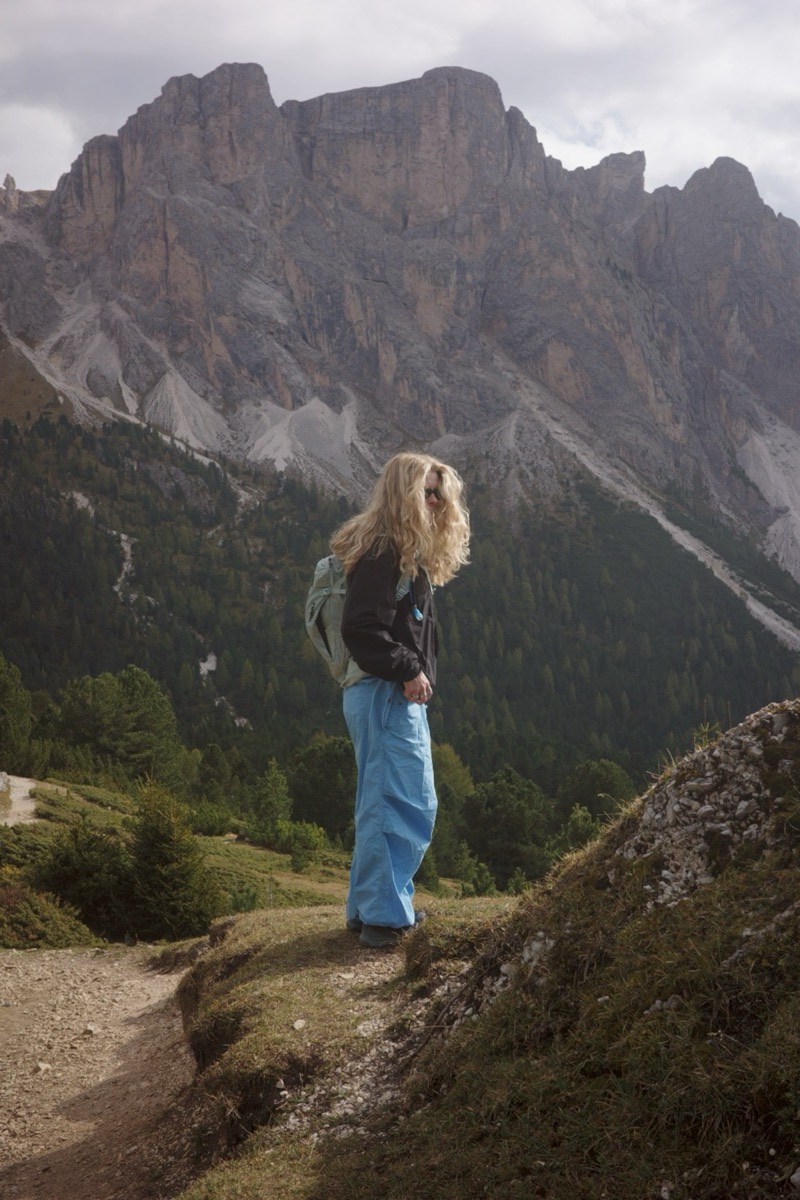
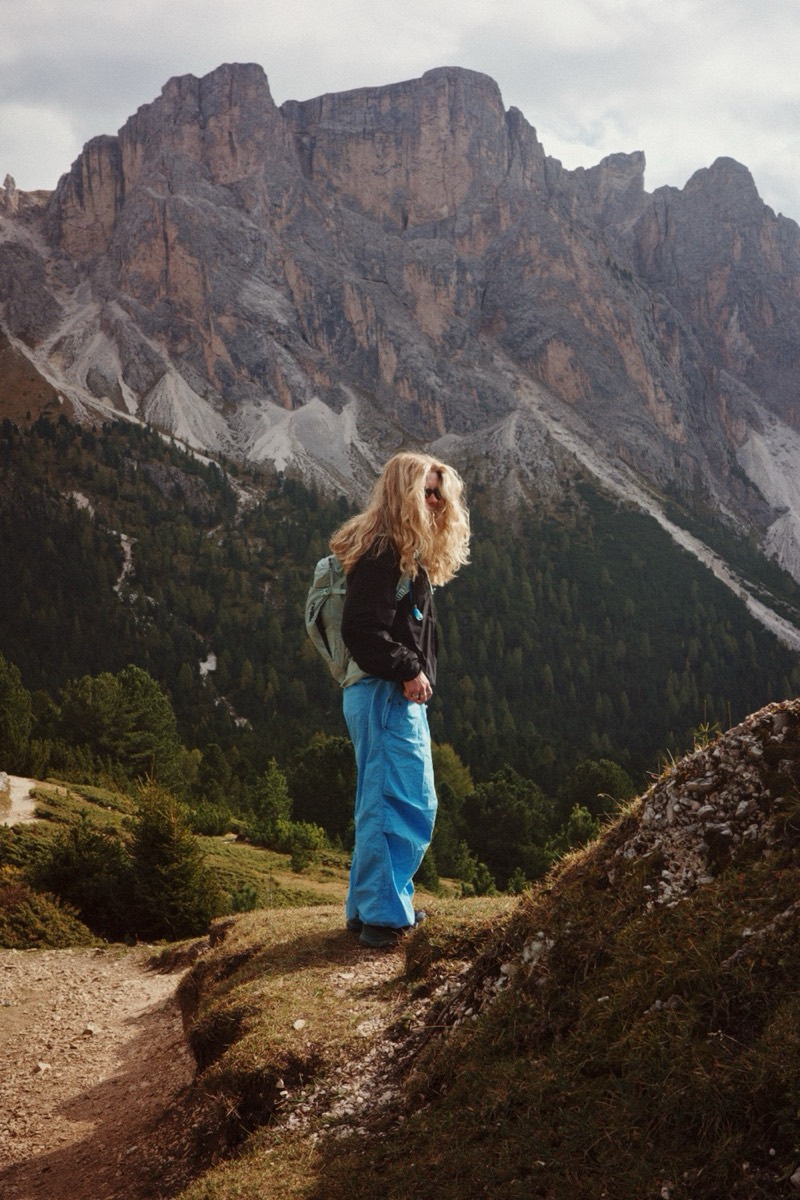 Before
After
Add to GR Flow
 On a computer? Scan this with your iPhone’s camera.
The settings
Made for RAW (DNG) files from the GR III and GR IIIx. These are GR Flow edit settings, applied to the RAW file, not an in-camera recipe.
- Camera look
- Positive Film
- Exposure
- +0.17
- Contrast
- +4
- Highlights
- −23
- Shadows
- +19
- Whites
- +13
- Blacks
- +9
- Vibrance
- +10
- Saturation
- +9
- Tone curve
- Faded: blacks lifted, whites rolled off to 92%
- Grade, highlights
- Hue 54°, saturation 8%, luminance +8
- Grade, midtones
- Hue 122°, saturation 12%
- Grade, shadows
- Hue 346°, saturation 6%
- Grain
- 35, size 35
How to add it
1. Get GR Flow on your iPhone. It’s free for 14 days.
2. Tap Add to GR Flow above, or scan the code, and the look lands in your presets.
3. Open a RAW from your GR in the Edit tab and tap the look. Every setting stays adjustable.