How to transfer photos from a Ricoh GR to your iPhone
Updated November 27, 2026
The Ricoh GR is built to live in your pocket, and so is your iPhone. Getting photos from one to the other is the step that decides whether you share a shot today or forget about it for a month. Here are the three ways to do it with a GR III, GR IIIx or GR IV, and when each one makes sense.
1. Wirelessly, over the camera’s Wi-Fi
Every recent GR has Bluetooth and Wi-Fi built in. Bluetooth is used to find and wake the camera, and Wi-Fi carries the photos, because it’s much faster. You pair the camera with an app once, and after that the app can reach it whenever the camera is on.
Ricoh’s own app for this is Image Sync. GR Flow does the same job and goes further: it shows your whole card, lets you pick or filter shots before anything downloads, and brings over RAW (DNG), JPEG or both.
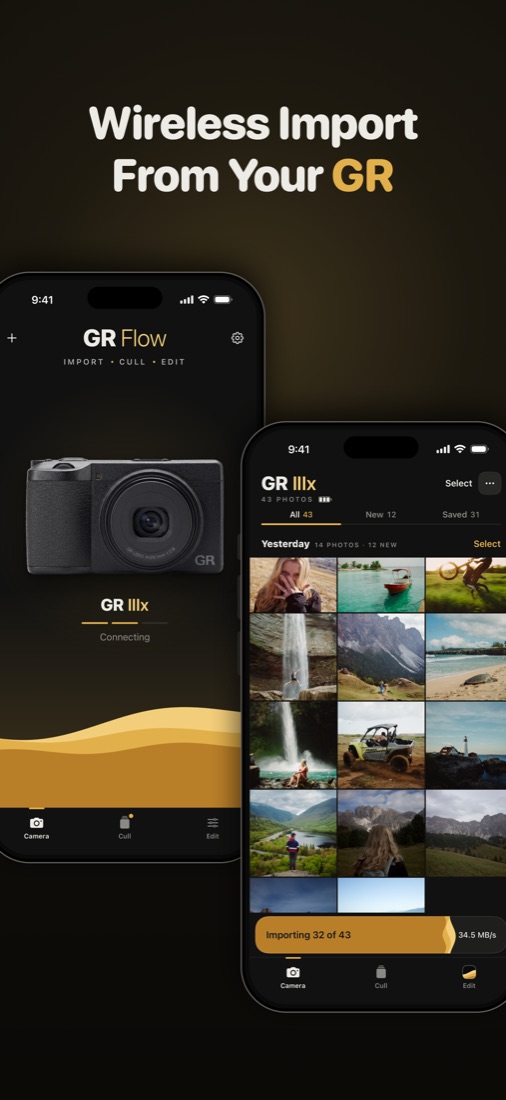
Good for: everyday use, a few dozen shots at a time, and getting photos off the camera without taking anything out of your bag.
2. With a USB-C cable
An iPhone with USB-C can talk to the GR directly over a cable. It’s the fastest way to move a big day of shooting, especially RAW files, which are several times the size of a JPEG.
In GR Flow, plug the camera in and turn it on, and it imports over the cable with the same picking and filtering as Wi-Fi. Without an app, you can also import from the camera with the Photos app or browse it in Files.
Good for: hundreds of photos, RAW-heavy days, and when you want it done in minutes.
3. With an SD card reader
Take the card out of the camera and plug it into the iPhone with a USB-C (or Lightning) card reader. The Photos app offers to import everything it finds, and Files lets you copy individual files.
Good for: when the camera battery is flat. The catch is that you end up with RAW files in your library and still need an app to edit them.
RAW or JPEG?
A GR shooting RAW+JPEG saves both. The JPEG is ready to share and carries the camera’s Image Control, like Positive Film. The DNG holds far more detail in the highlights and shadows, so it’s the one to edit. If you plan to edit on your phone, bring over the RAW. If you only want to share quickly, the JPEG is a fraction of the size.
Which should you use?
For most people, wireless for everyday shots and a cable for big days covers everything. GR Flow does both in one app, and then lets you cull and edit the photos you brought over, so they never have to sit in your camera roll as unedited RAW files.